How to Create a VS (VSME) Report in 15 Minutes: A Step-by-Step Tutorial
⏱️ 15-Minute VS (VSME) Timeline
You just received an email from your biggest customer. They need your company's sustainability data. They mentioned something called a "VS (VSME) report." You have no idea what that is, you don't have a sustainability department, and you definitely don't have weeks to figure this out.
Good news: you can create a VS (VSME) report in about 15 minutes. This tutorial walks you through the entire process, step by step, using real data examples so you know exactly what to enter at every stage.
What you'll need before you start:
-
Your most recent electricity bill (annual kWh or MWh)
-
Your most recent heating/fuel bill (if applicable)
-
Your employee headcount (total, by gender, by contract type)
-
Access to basic HR data (sick days, training hours)
-
15 minutes of uninterrupted time
Not sure where to find all this data? Use our VS (VSME) Data Collection Checklist — it tells you exactly what to gather, where to find it, and who in your company has it.
What you'll have when you finish:
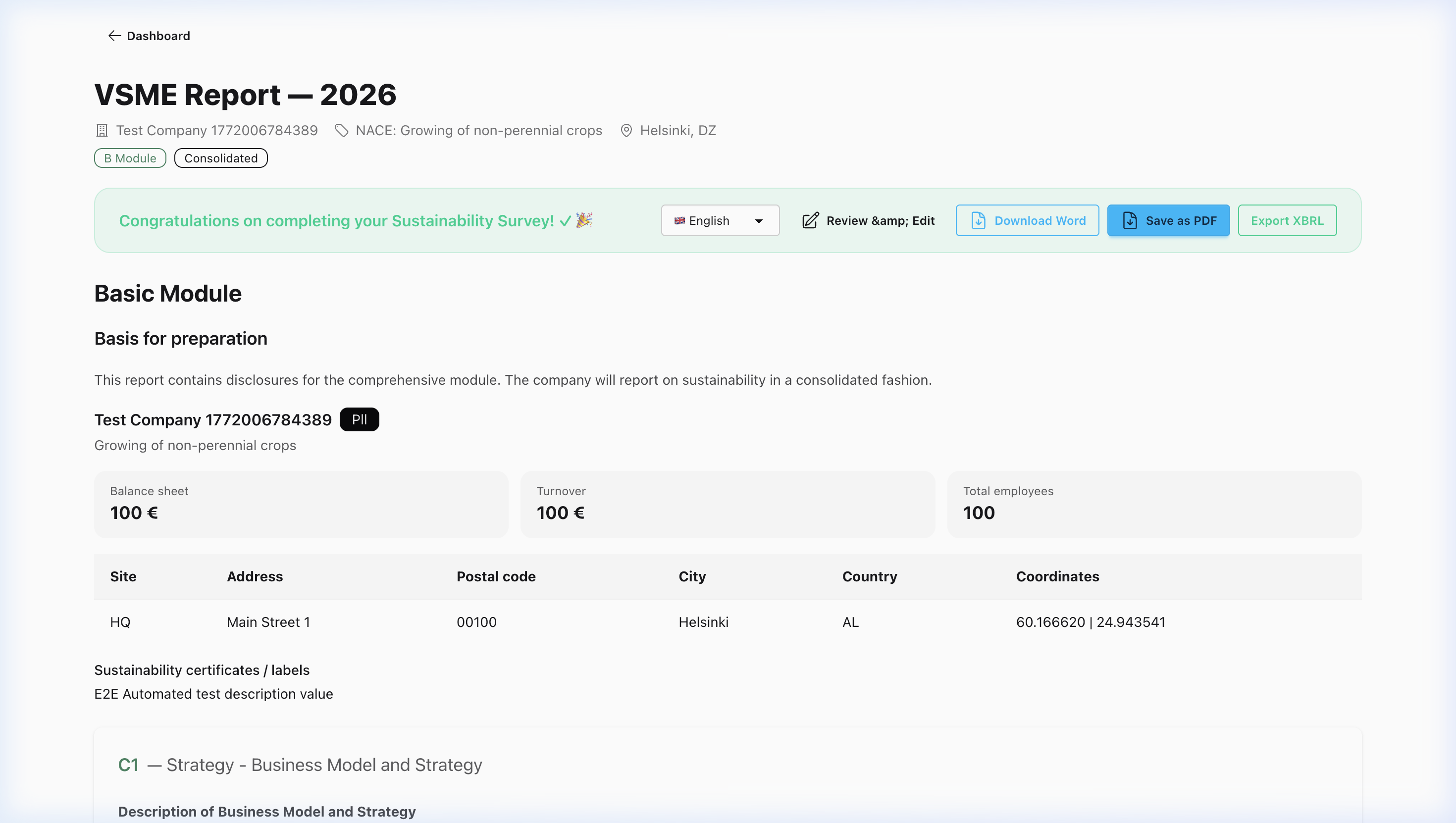
A complete VS (VSME) Basic Module report, exportable as PDF, Word, or XBRL, ready to send to whoever asked for it.
Before We Start: Choose Your Tool
| Option | Cost | Time | Best For |
|---|---|---|---|
| EFRAG Excel Template | Free | 2-4 hours | Micro-enterprises doing a one-time exercise |
| ESG Software (e.g., ExecutESG) | Free | ~15 minutes | Any SME that wants speed and automatic calculations |
| Hire a Consultant | €1,500-5,000 | 2-4 weeks | Companies with zero internal capacity |
This tutorial uses ExecutESG's free VS (VSME) module because it's the fastest path. But the data you need to collect is the same regardless of which tool you use — so even if you prefer a different approach, follow along for the data guidance.
Create a Free Account →
Takes 30 seconds. No credit card.
Step 1: Set Up Your Company Profile (2 minutes)
After signing up, you'll land on your dashboard. Click "Start New Report" and enter your basic company information:
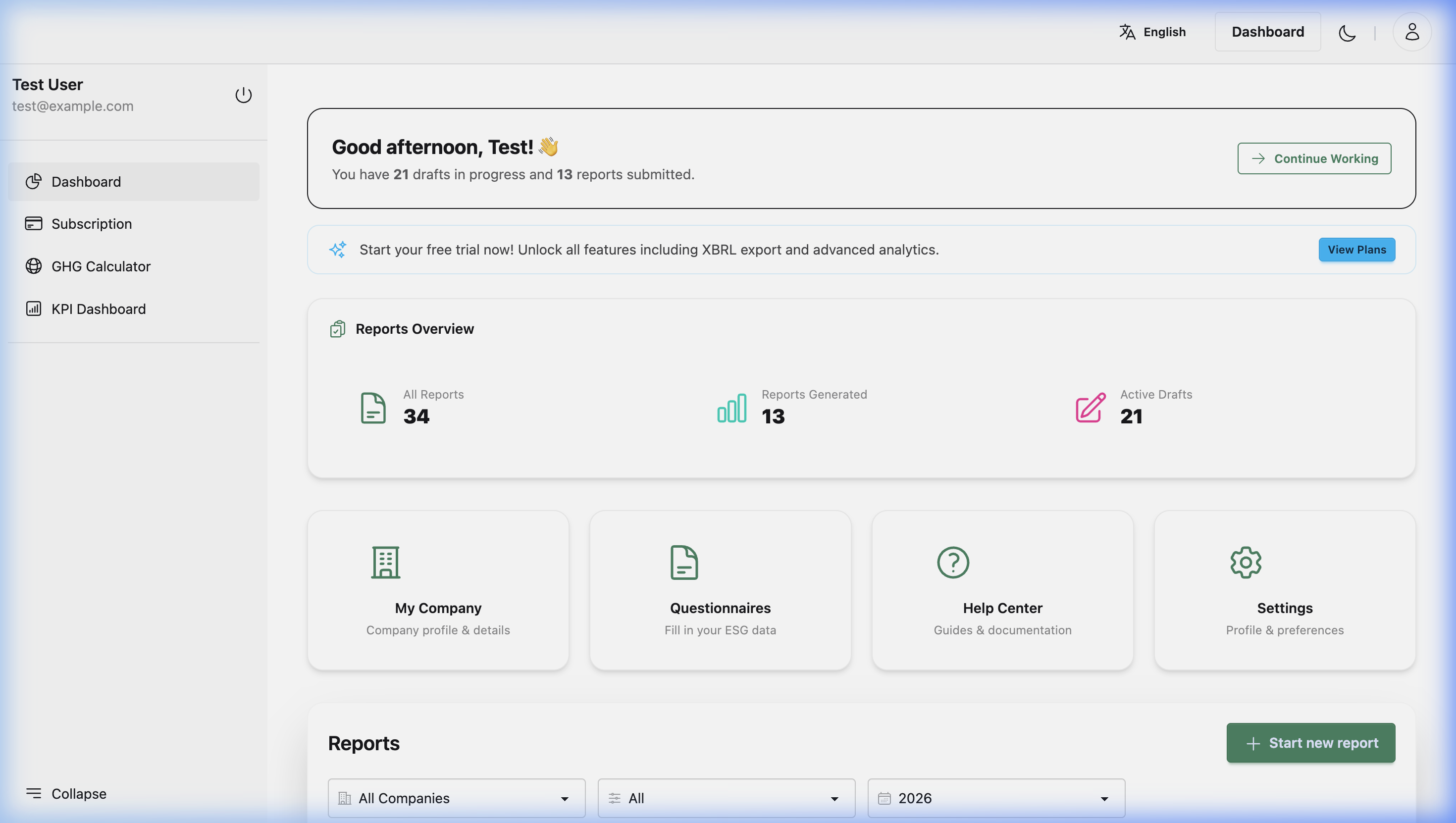
What to enter:
-
Company name — Your legal entity name
-
NACE code — Your industry classification code (e.g.,
62.01for software development) -
Country and address — Where your company is registered
-
Reporting period — Typically your last financial year
-
Number of employees — Total headcount at reporting date
-
Balance sheet total — From your annual financial statement
-
Net turnover — Annual revenue
Tip: If you don't know your NACE code, ask your accountant — it's on your business registration documents.
Step 2: Complete the General Disclosures — B1 & B2 (2 minutes)
The wizard starts with two general questions.
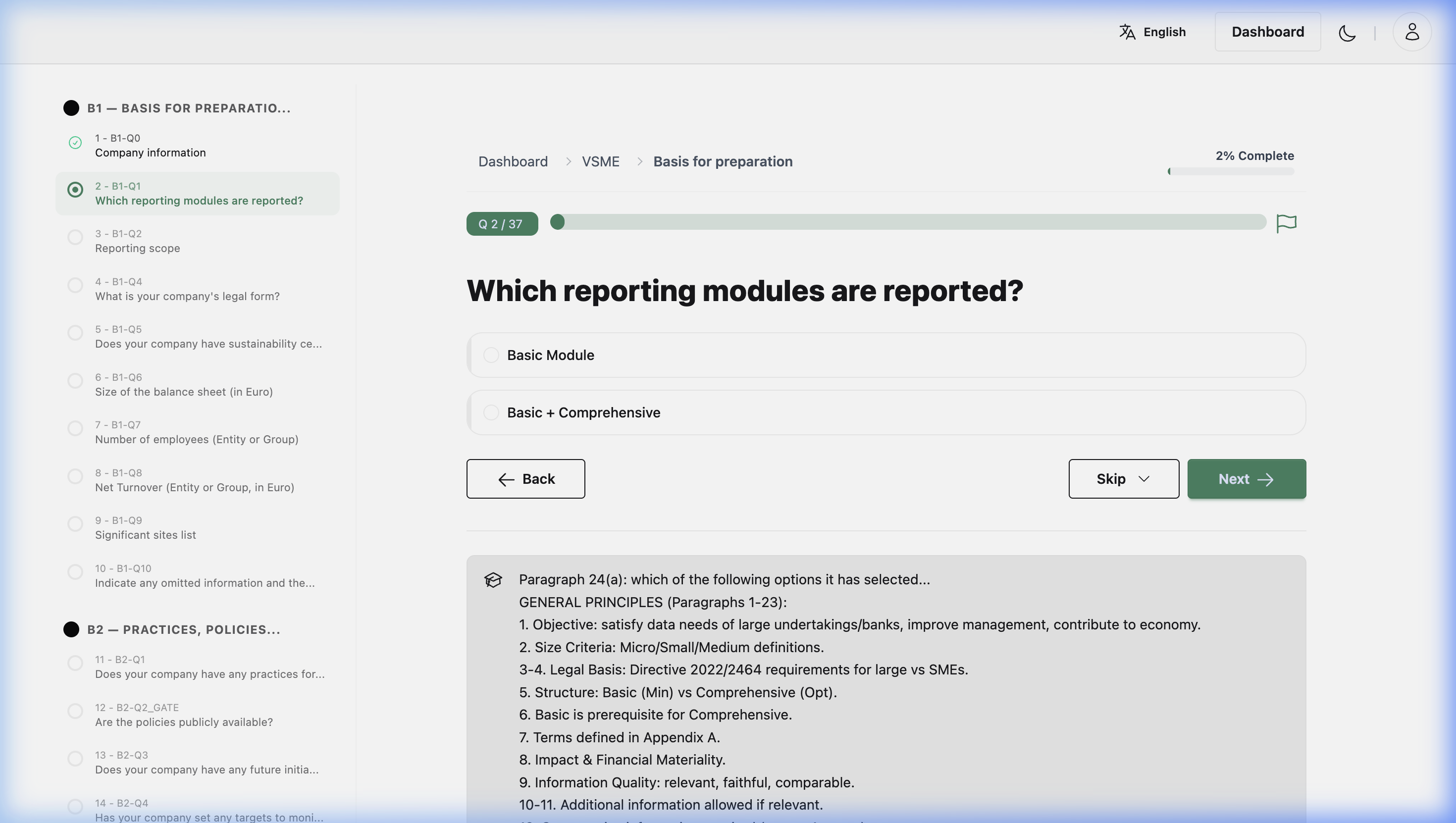
B1: Basis for Preparation
This is mostly automatic. You confirm you're reporting as an individual undertaking, you selected the Basic Module, and your reporting period matches your financial year.
B2: Practices, Policies and Future Initiatives
Describe your company's existing sustainability practices in plain language.
Example answer for a 40-person manufacturing company:
"We have implemented energy-efficient LED lighting across all production facilities, maintain a waste sorting program with 65% recycling rate, offer hybrid working arrangements for office staff, and conduct annual health and safety training for all production workers."
Don't overthink this. There is no perfect answer. Describe what you actually do — even if it feels modest. Honesty is more credible than aspiration.
Step 3: Enter Your Energy and Emissions Data — B3 (4 minutes)
This is where most people get nervous. Don't be. You need two numbers from your energy bills.
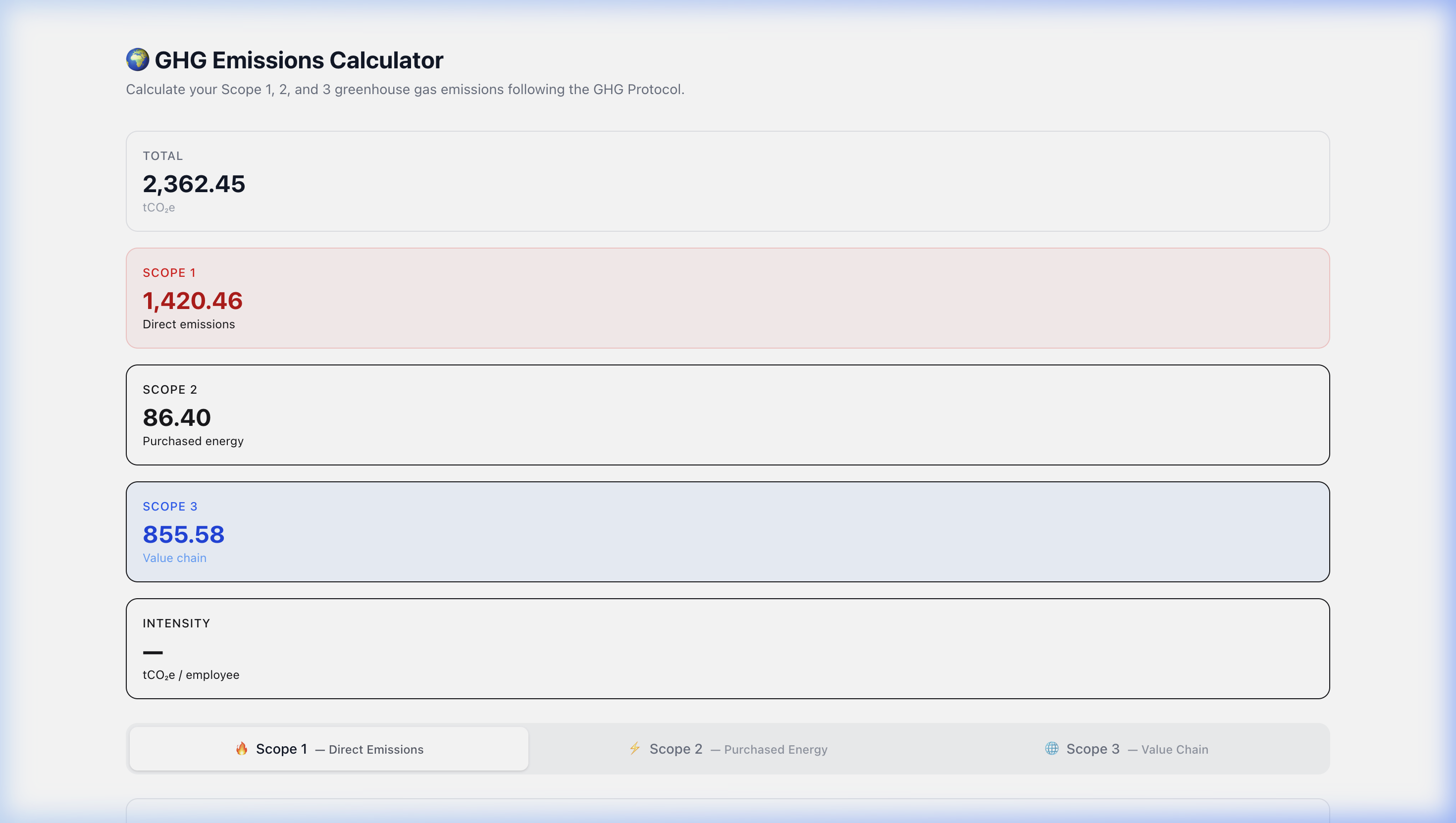
What to enter:
-
Electricity: Find your annual consumption in kWh on your electricity bill. Example:
85,000 kWh -
Heating fuel: If you use gas, oil, or district heating, find the annual consumption. Example:
12,000 kWhof natural gas -
Transport fuel: If your company owns vehicles, estimate the annual diesel/petrol consumption. Example:
5,000 litres of diesel
Real example:
| Input | Value | Resulting Emissions |
|---|---|---|
| Electricity | 85,000 kWh (Finland) | ~5.1 tCO₂e (Scope 2) |
| Natural gas heating | 12,000 kWh | ~2.4 tCO₂e (Scope 1) |
| Diesel fleet | 5,000 litres | ~13.2 tCO₂e (Scope 1) |
| **Total** | **~20.7 tCO₂e** |
Where to find this data: Check your latest electricity invoice (it shows annual kWh), your gas bill, and your fuel card statements.
Step 4: Environmental Disclosures — B4, B5, B6, B7 (2 minutes)
These four disclosures cover pollution, biodiversity, water, and waste. For most SMEs, several of these are not applicable.
-
B4 (Pollution): Most service companies mark this as "not applicable."
-
B5 (Biodiversity): Office-based company in a city center? "Not applicable."
-
B6 (Water): Enter your water bill data if in a water-intensive industry.
-
B7 (Waste): Report your waste generation and recycling rates.
Step 5: Social Disclosures — B8, B9, B10 (3 minutes)
These three disclosures focus on your workforce. The data comes from your HR or payroll system.
B8: Workforce — General Characteristics
| Metric | Example |
|---|---|
| Total employees | 42 |
| Full-time | 38 |
| Part-time | 4 |
| Permanent contracts | 39 |
| Male employees | 28 |
| Female employees | 14 |
B9: Health and Safety
| Metric | Example |
|---|---|
| Work-related accidents | 2 |
| Fatal accidents | 0 |
| Sick days (total) | 186 |
B10: Remuneration, Collective Bargaining, Training
| Metric | Example |
|---|---|
| Average gross hourly wage | €22.50 |
| Gender pay gap | 4.2% |
| Employees covered by collective bargaining | 85% |
| Average training hours per employee | 12 hours/yr |
Step 6: Governance Disclosure — B11 (30 seconds)
For most SMEs, this is a simple "none" answer: Number of convictions for corruption or bribery: 0. Total fines paid: €0.
Step 7: Review and Export (2 minutes)
You're done with data entry. Now:
-
Review your answers. The platform shows a summary of every disclosure.
-
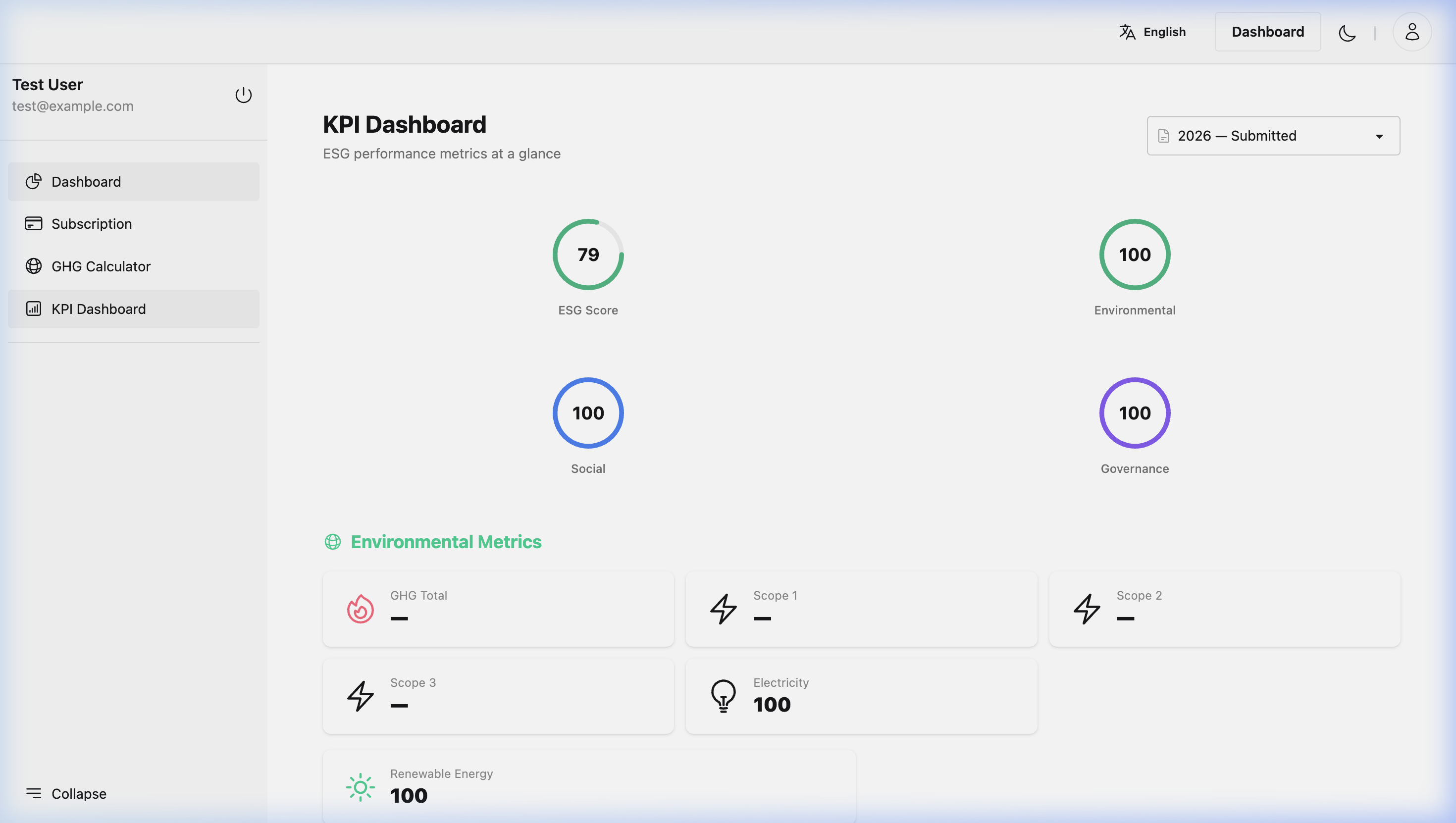
Check your KPI Dashboard. ExecutESG automatically generates an ESG Score Ring showing your performance.
-
Export your report. Click one button to generate your finished VS (VSME) report.
Total Time Breakdown
| Step | What You Do | Time |
|---|---|---|
| 1. Company profile | Enter basic company info | 2 min |
| 2. General disclosures (B1-B2) | Confirm report scope, describe practices | 2 min |
| 3. Energy & emissions (B3) | Enter energy bills, auto-calculate GHG | 4 min |
| 4. Environment (B4-B7) | Pollution, biodiversity, water, waste | 2 min |
| 5. Social (B8-B10) | Workforce data from HR/payroll | 3 min |
| 6. Governance (B11) | Corruption and fines | 0.5 min |
| 7. Review & export | Scan, check score, download PDF | 2 min |
| **Total** | **~15.5 minutes** |
Note: This assumes you have your energy bills and HR data readily available.
Frequently Asked Questions
Do I really need only 15 minutes?
If you have your energy bills and HR data ready, yes. The actual data entry is fast — it's finding the source documents that takes time.
What if I don't know my Scope 1 and Scope 2 emissions?
You don't need to know them in advance. Enter your raw energy data and the platform's GHG calculator converts it automatically.
Can I save and come back later?
Yes. Your progress is saved automatically.
What if some disclosures don't apply to my company?
Skip them. The VS (VSME) uses an "if applicable" principle.
Is this report good enough for a bank?
The Basic Module satisfies most supply chain data requests. For GHG reduction targets or climate risk assessments, you'll need the Comprehensive Module on the Pro tier.
Start Your Free VS (VSME) Report →
No credit card required. Your data is yours — we never share it.
Related Guides
-
VS (VSME) Data Collection Checklist — Gather every data point before you start
-
VS (VSME) Standard Explained: The Complete Guide — Understand what each disclosure means
-
Best VS (VSME) Reporting Software (2026) — Compare 7 tools
-
How to Automate Your VS (VSME) Report — Why software beats spreadsheets
Recommended Articles
Check Your VS (VSME) & CSRD Readiness Score
Answer 6 quick questions under the EU Voluntary Standard VS (VSME) to discover your compliance gap score, estimated time savings, and generate your free starter report.
Stay Ahead of EU Sustainability Mandates
Get our weekly intelligence briefing on VS (VSME), CSRD compliance, buyer Scope 3 demands, and EcoVadis audits—distilled for European SMEs.