Xero vs. QuickBooks for Carbon Accounting: How SMBs Automate Scope 1-3 Emissions
Xero vs. QuickBooks for Carbon Accounting: How SMBs Automate Scope 1-3 Emissions
For small and mid-sized businesses worldwide, Xero and QuickBooks Online (QBO) are the undisputed titans of cloud bookkeeping. Together, they manage financial ledgers, bills, payroll, and purchase orders for tens of millions of growing companies.
In 2026, enterprise buyers, tender evaluation boards, and commercial banks are demanding greenhouse gas disclosures from their suppliers. Mid-market businesses cannot afford €20,000 for enterprise ESG platforms designed for Fortune 500 corporations. Instead, finance leaders want to know: Can we calculate our corporate carbon footprint and produce an EFRAG VS (VSME) report directly from our Xero or QuickBooks ledger?
The short answer is yes. However, the two platforms structure transaction data, invoice attachments, and API endpoints quite differently.
In this comparison, we break down how Xero and QuickBooks Online stack up for carbon accounting, examine their integration mechanics, and explain how to transform everyday bookkeeping into audit-ready Scope 1, Scope 2, and Scope 3 reporting.
The Head-to-Head Comparison: Xero vs. QuickBooks for ESG
┌─────────────────────────────────┐           ┌─────────────────────────────────┐
│              XERO               │    VS     │       QUICKBOOKS ONLINE         │
│  • Clean chart of accounts      │           │  • Granular vendor profiles     │
│  • Consistent REST API limits   │           │  • Deep purchase order matching │
│  • Native multi-currency ledger │           │  • Custom item line tagging     │
└────────────────┬────────────────┘           └────────────────┬────────────────┘
                 │                                             │
                 └──────────────────────┬──────────────────────┘
                                        │
                                        ▼
                         ┌─────────────────────────────┐
                         │   ExecutESG Sync Engine     │
                         │  • Line-item unit parsing   │
                         │  • Verified VS (VSME) report│
                         └─────────────────────────────┘
| Feature / Capability | Xero | QuickBooks Online (QBO) | ESG Impact & Winner |
|---|---|---|---|
| API Line-Item Granularity | High (exposes line description, account code, unit price, quantity) | High (exposes item details, vendor memo, custom fields) | Tie: Both platforms expose sufficient data for automated parsing. |
| Vendor Categorization | Contact groups & default accounts | Deep vendor profiles with 1099 tracking & default expense codes | Winner: QuickBooks. Superior vendor classification makes recurring fuel/energy mapping faster. |
| Multi-Currency Normalization | Built-in XE exchange rates updated hourly | Automated bank feed conversion rates | Winner: Xero. Consistent base-currency conversion prevents currency fluctuation errors in carbon estimates. |
| Invoice Attachment Storage | Files API connects receipts directly to transaction journals | Attachments endpoint links scanned PDFs and images to bills | Tie: Both enable one-click document verification during financial and sustainability audits. |
| Chart of Accounts Flexibility | Clean, flat structure with tracking categories | Hierarchical parent/sub-account structure | Winner: QuickBooks. Parent/sub-accounts simplify nesting vehicle fuel under specific operating departments. |
| Setup Time with ExecutESG | 10–15 minutes (OAuth 2.0 connection) | 10–15 minutes (Intuit App Connect) | Tie: Fast, zero-code API authorization on both sides. |
1. How Carbon Accounting Works in Xero
Xero’s minimalist design and well-documented REST API make it a favorite for professional services firms, technology businesses, and digital agencies.
The Xero Data Ingestion Flow
When you authorize ExecutESG in your Xero organization, the platform accesses your purchase records via read-only API:
- Bank Feed & Bill Ingestion: ExecutESG queries the
/Invoicesand/BankTransactionsendpoints to capture all accounts payable records. - Account Code Filtering: The engine scans accounts traditionally mapped to emissions:
400 / Advertising & Marketing(useful for calculating print and digital collateral footprints).420 / Light, Power, Heating(Scope 2 electricity and facility gas).440 / Motor Vehicle Expenses(Scope 1 vehicle fuels).493 / Travel - National & International(Scope 3 business travel).
- Tracking Categories: If your company uses Xero Tracking Categories (e.g., separating offices by region or cost center), ExecutESG automatically segments emissions by facility, satisfying EFRAG VS (VSME) multi-site disclosure requirements.
Where Xero Struggles (and How to Solve It)
Xero’s default bill entry does not mandate physical quantity fields. If an employee enters a fuel bill simply as "Fuel - €85.00" without entering liters into the quantity box, standard carbon calculators apply crude spend-based calculations.
ExecutESG solves this by reading the attached receipt PDF or photo via OCR, extracting the physical liters pumped and fuel grade (e.g., standard diesel vs. renewable HVO100), ensuring your Scope 1 metrics remain immune to fuel price inflation.
2. How Carbon Accounting Works in QuickBooks Online
QuickBooks Online is the primary accounting tool for trade businesses, logistics providers, light manufacturing, and field-service contractors.
The QuickBooks Online Ingestion Flow
QuickBooks handles complex purchase orders, job costing, and multi-line vendor bills through its Intuit Developer API:
- Bill and Purchase Ingestion: ExecutESG accesses the
BillandPurchaseentities to capture paid and accrued expenses. - Vendor-Based Classification: QuickBooks maintains detailed vendor profiles. When a transaction originates from an identified utility provider or fuel card network (e.g., Shell Fleet, BP, ConEdison, EDF), ExecutESG automatically maps the entire account history to the corresponding greenhouse gas scope.
- Sub-Account Hierarchy: Many QuickBooks users organize their Chart of Accounts hierarchically:
This nested structure allows ExecutESG to isolate combustible fuels without manually reviewing general maintenance entries.6000 Auto & Truck Expense ├── 6010 Fuel & Oil (Scope 1 Direct) ├── 6020 Repairs & Maintenance (Scope 3 Capital Goods) └── 6030 Vehicle Insurance (Immaterial Scope)
Where QuickBooks Struggles (and How to Solve It)
QuickBooks allows users to create custom line-item descriptions that vary significantly from month to month. Inconsistent naming conventions can confuse basic keyword matching tools. ExecutESG applies machine learning classification to match messy invoice descriptions to verified emission factors automatically.
Avoiding the "Spend-Based Inflation Trap" on Both Platforms
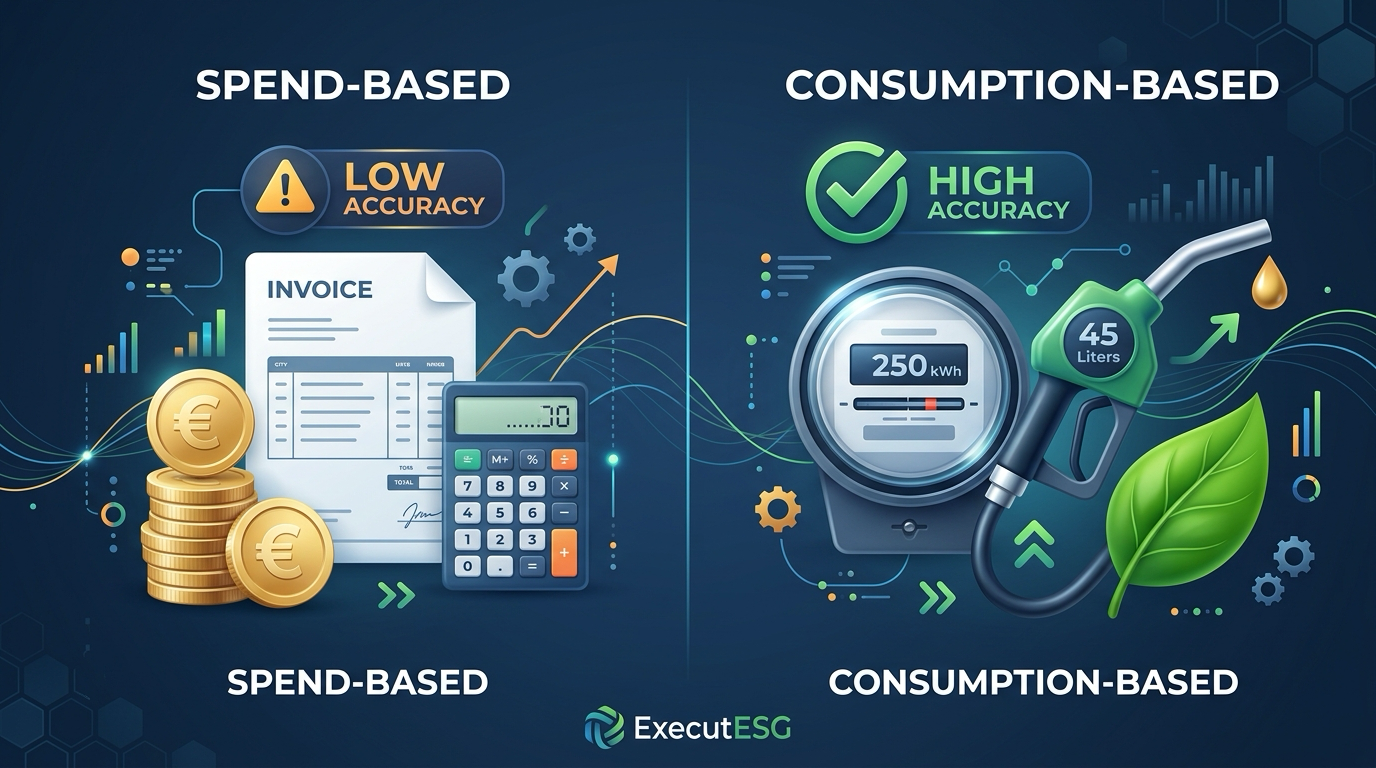
The single biggest mistake finance teams make when using Xero or QuickBooks for sustainability reporting is relying on simple spend multipliers:
$$\text{Emissions } (\text{kg CO}_2\text{e}) = \text{Invoice Total } ($) \times \text{Average Industry Factor}$$
Consider this real-world example: A transport contractor using QuickBooks spent $120,000 on diesel in 2024. In 2026, fuel prices jumped by 30%, but the contractor invested in aerodynamic trailers and driver training, cutting physical fuel burn by 8%.
- Physical Reality: Direct Scope 1 emissions decreased by 8%.
- Spend-Based Calculator: Because total spend rose to $143,520, the spend-based model reported that emissions increased by 19.6%.
Physical Fuel Burn:     [ -8% DECREASE  ]  <-- Real Decarbonization
Spend-Based Calculation: [ +19.6% INCREASE]  <-- Flawed Metric
Submitting inflated spend-based figures to enterprise customers or commercial banks damages credibility and can trigger penalty interest rates on sustainability-linked loans.
By pulling line-item quantities (gallons, liters, kWh) from your Xero and QuickBooks bills, ExecutESG ensures that operational decarbonization is accurately reflected in your reports.
Step-by-Step Setup: Connecting Xero or QuickBooks to ExecutESG
Connecting either platform to generate an EFRAG VS (VSME) report takes fewer than 15 minutes:
For Xero:
- Log in to your ExecutESG dashboard and navigate to Integrations > Accounting.
- Select Connect Xero and log in with your standard Xero credentials.
- Grant read-only access to your organization's purchase bills, bank transactions, and attachments.
- Review the automated Chart of Accounts crosswalk to confirm account categories.
- Click Run Carbon Extraction to generate your baseline Scope 1, 2, and 3 disclosure.
For QuickBooks Online:
- In ExecutESG, select Connect QuickBooks.
- Authorize the connection via the Intuit App Center.
- Select the target fiscal year for your baseline assessment.
- Verify vendor mappings (utility providers and fuel suppliers).
- Export your verified VS (VSME) disclosure package in PDF, Word, or digital XBRL.
What If You Use an On-Premise Version of QuickBooks Desktop?
Many industrial and manufacturing SMBs still operate QuickBooks Desktop (Enterprise or Premier), which lacks cloud REST API webhooks.
If your company uses QuickBooks Desktop, you do not need to migrate to the cloud to perform carbon accounting:
- Open QuickBooks Desktop and generate a Transaction Detail by Account or General Ledger report.
- Export the report to
.csvor.xlsx. - Open ExecutESG’s Universal CSV Migration Module and drag and drop the file.
- The system parses column headers, maps accounts, and calculates emissions immediately with the same accuracy as a live cloud API connection.
Frequently Asked Questions
Will connecting Xero or QuickBooks to ExecutESG alter our financial ledgers?
No. The integration operates with strict, read-only permissions. ExecutESG cannot modify transaction journals, post adjustments, create invoices, or move funds. It only reads transaction line items and attachments to calculate emissions and compile your sustainability report.
How often should we sync our accounting software with our carbon report?
Most SMBs sync their accounting ledger quarterly or annually to align with financial board meetings and customer vendor reviews. However, because the API connection is automated, companies can sync monthly to monitor energy cost trends and track progress toward decarbonization targets in real time.
Does our company need both Xero/QuickBooks and specialized sustainability software?
Yes. Accounting software is engineered to balance ledgers and satisfy tax rules; it lacks greenhouse gas emission factor databases, global warming potential (GWP) metrics, and EFRAG VS (VSME) disclosure templates. Specialized platforms like ExecutESG sit on top of your accounting ledger to handle the scientific and regulatory calculations automatically.
Transform Your Daily Bookkeeping into Audit-Ready ESG Disclosures
You do not need an enterprise budget or a team of sustainability consultants to produce professional sustainability reports. By connecting Xero or QuickBooks Online to ExecutESG, you turn data you already have into a competitive advantage that wins tenders and satisfies bank covenants.
Create your free account on ExecutESG to connect your Xero or QuickBooks ledger and generate your baseline EFRAG VS (VSME) sustainability report today.
Check Your VS (VSME) & CSRD Readiness Score
Answer 6 quick questions under the EU Voluntary Standard VS (VSME) to discover your compliance gap score, estimated time savings, and generate your free starter report.
Stay Ahead of EU Sustainability Mandates
Get our weekly intelligence briefing on VS (VSME), CSRD compliance, buyer Scope 3 demands, and EcoVadis audits—distilled for European SMEs.